


HotLinks 2D Full-Text SearchMATCH Discovery
Artificial Intelligence is certainly valuable for research, but it has some fundamental flaws, like persistent hallucinations and lots of ‘blind spots’ that can stubbornly steer researchers away from what they must explore. HotLinks 2D Full-text SearchMATCH doesn’t draw conclusions, doesn’t steer, doesn’t hallucinate and doesn’t have blind spots.
The Limitations of AI
LLM-AI is based on tokens and sequences. ‘World Model’ AI is based on space and time and is far more complex than LLM-AI, and consequently is likely decades away from revolutionizing scientific research or higher education. When World Model AI matures, it will likely be limited to the physical and life sciences. Even World Model AI will not directly address the social sciences, political science, socio-economics, psychology, psychiatry, or philosophy, and using it to solve the quantum physics paradoxes may also be a dead-end.
Discovery Technologies Comparison
| Discovery Technologies Comparison Chart | Full-Text Search | Artificial Intelligence | HotLinks 2D SearchMATCH |
|---|---|---|---|
| Support for simple key term search/discovery | YES | YES | YES |
| Input of 100+ pages (beyond simple key terms) | NO | YES | YES |
| Correlation 100+ pages of input with billions of pages of scholarly research | NO | YES | YES |
| Instant access to subscription-based content (when on-campus) | NO* | N/A | YES |
| Deterministic algorithms that do not obscure findings from researchers and instead, allow researchers to draw their own conclusions | YES | NO | YES |
| Publisher-power agnostic (does not increase dependency on publishers) | NO | Unknown | YES |
| Integrated with Personal Digital Mind Palace | NO | NO | YES |
* some full-text search systems provide a programmatic interface (an API) for accessing the content
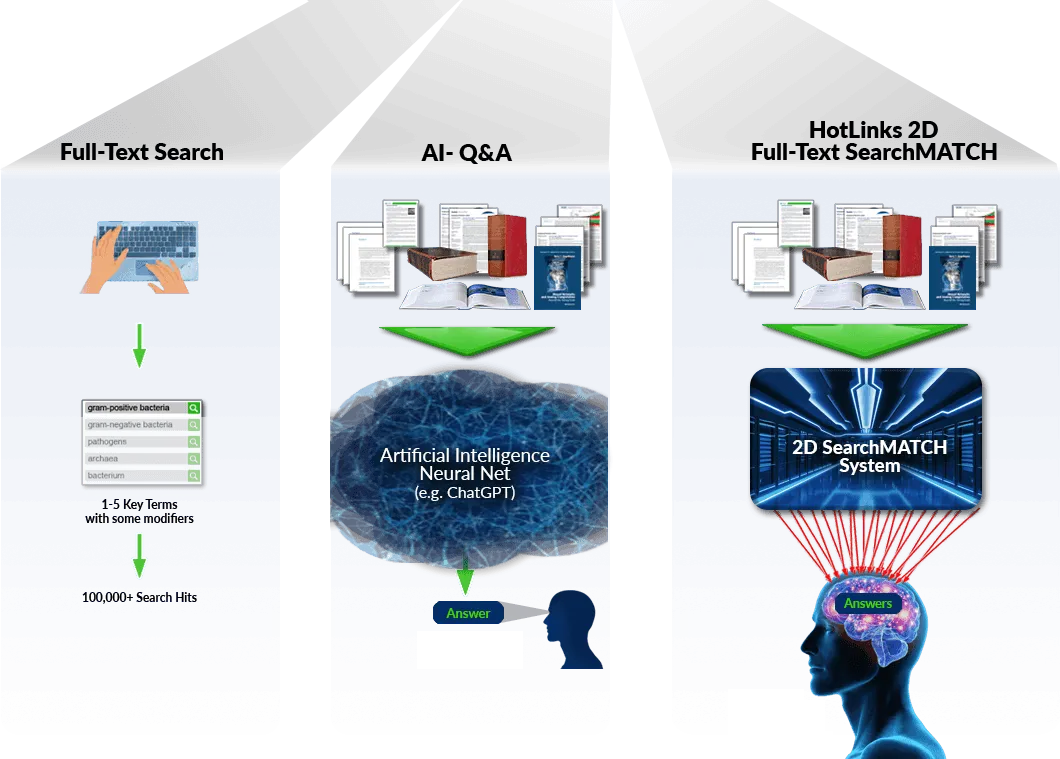
Student
Receives Answer
Student
Derives his/her
Own Conclusions
from Hot Links
Inside HotLinks 2D Full-text SearchMATCH Discovery System
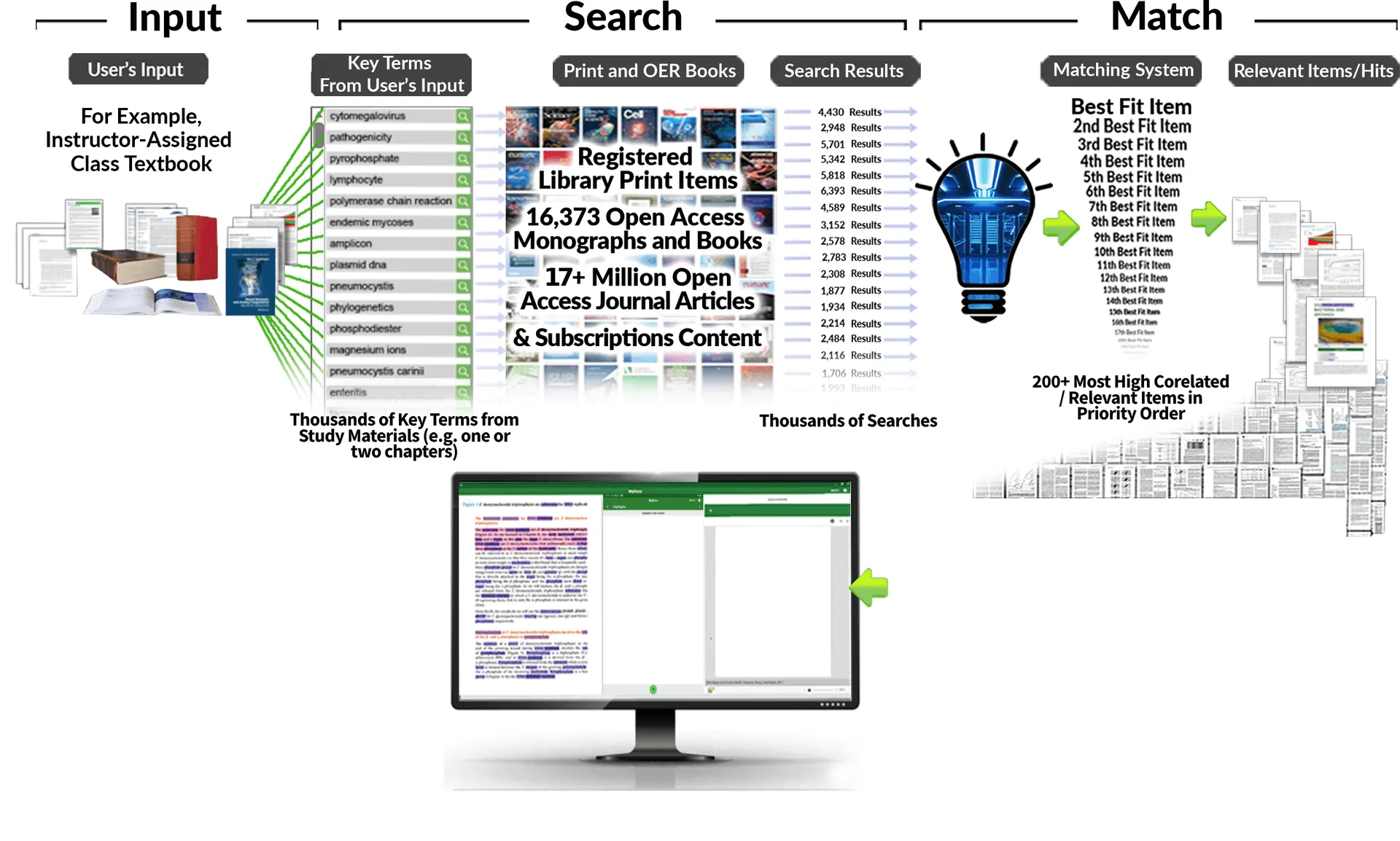
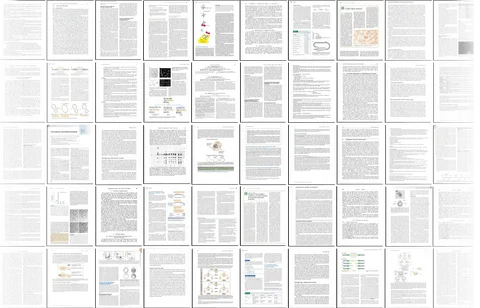
HotLinks extracts thousands of key terms from the input material, including textbook chapters, course materials, etc., and performs a search on each of the thousands of key terms. The thousands of results for each of the thousands of search terms are then fed into the HotLinks matching system, which finds the best matches with the input material and sorts those matches by relevance to the source materials. The diagram below illustrates the process.

Personal Digital Mind Palace
It is quite common for scientists to have accumulated hundreds to thousands of journal articles that are relevant to their current research. However, it is not so common for researchers to be able to recall the content of their relevant articles so well that they don’t need to reference them repeatedly. An effective digital system to facilitate fast and easy navigation between a thousand articles is needed.
Digital technologies should be able to assist researchers with recalling the correct article as well as remembering which article to recall. When a researcher wishes to recall some particular information, it can be difficult to remember which article contains the information. Also, locating, loading and checking file after file can be very tedious.
A good first step might be to distill the five to 50+ pages of each relevant article into one or a few short excerpts. Abstracts can be a bit long, but more important, they often inadequately represent the reasons the articles are deemed relevant.
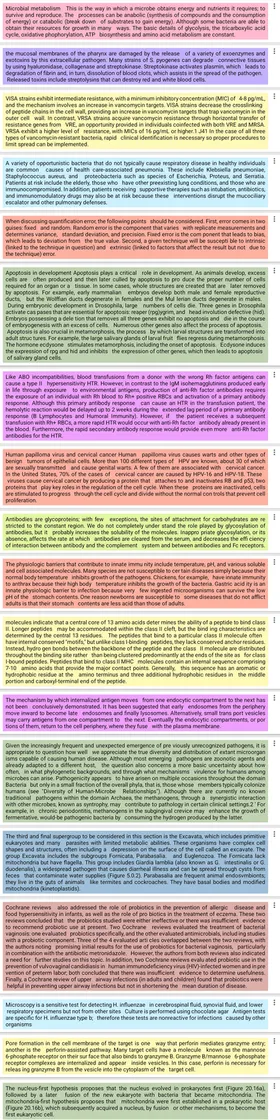
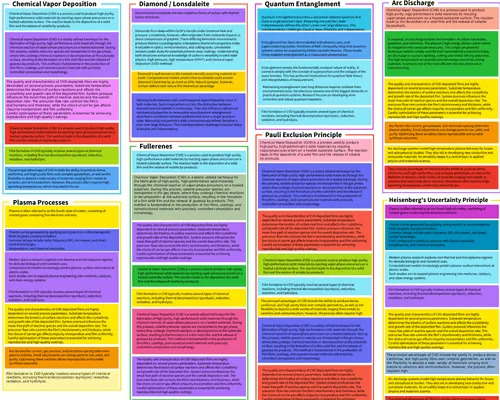
HotLinks SearchMATCH discovery is not only excellent at finding relevant articles, but it also allows the user to highlight the specific excerpts that represent the article’s relevancy to the user. HotLinks stores copies of the highlights in a list along with a link from each highlight to its source article. Together, these features should be necessary and sufficient to allow researchers to quickly and easily navigate between relevant articles, but for one thing: the overwhelming number of relevant articles that researchers typically find to be relevant.
In order for researchers to be able to quickly and easily navigate between relevant articles when the number of relevant articles exceeds one or two hundred, the researchers’ memories must be enhanced. The Mind Palace system built into HotLinks does just that. It relies upon the human brain’s highly developed ability to navigate visually. For more information on this phenomenon of the human brain, or lookup Simonides ‘method of loci,’ which is often called ‘Mind Palace’
HotLinks Mind Palace allows the user to easily build and name ‘rooms,’ organize the rooms into a ‘palace floorplan’ and fill the rooms with highlights. Navigating this floorplan can be very quick, especially if the floorplan makes sense to the user. Due to the brain’s excellent spatial memory, each time it is used, the Mind Palace becomes more and more familiar. Eventually, articles can be recalled in 10 seconds or less, saving a lot of time and perhaps more important, eliminating loss of train-of-thought, which is especially important while collaborating with colleagues.

Create Auto-Citations
MyDocs Collaboration Systems for Research and Study
For Researchers
Information overload is a common condition for scientific researchers. Most scientists’ personal journal article collections contain several hundred to several thousand scientific articles. Scientist’s personal article collections are quite unlike any other personal collections of books or magazines. Scientists play chess with the unknown and they write scientific articles when they think they have won and advanced human knowledge. Hence, the articles they write are difficult to understand, even for other scientists that are not familiar with their very specific fields of research. Scientific articles contain experimental data, statistical analyses, graphs, very specialized concepts and typically contain dozens of words that are unique to their specific fields of research. Ideally, if scientists could fill their minds with all the information in a thousand relevant articles, they could be substantially more effective at their research.
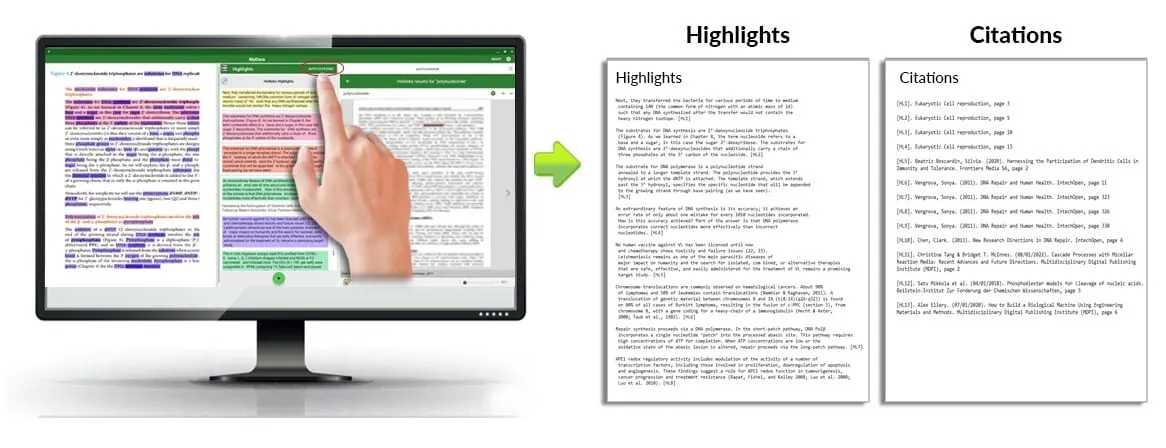
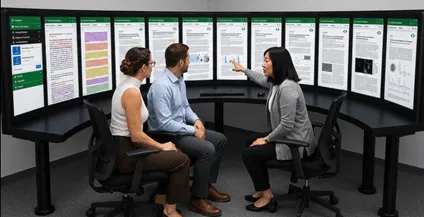
MyDocs Collaboration Systems allow scientists to fill many large touchscreens with selected articles from their personal collections and rapidly scroll to all the other relevant articles in their collection. The tabletop collaboration systems are configured in a circular arc, and all articles can typically be read from anywhere inside the circle.
When a personal article collection is organized using Personal Digital Mind Palaces, any Mind Palace can be displayed on any of the touch screens with just two touches. Touching the desired highlight instantly recalls the article containing the highlight, and all other articles with highlights in the same room can be scrolled between at Instagram® speeds. To truly appreciate the scope of their effectiveness, they must be personally experienced with personal article collections.
The collaboration system touchscreens can also access a 20 million journal article repository. With so many research funding organizations requiring that the articles they are paying for switch to open access after six months behind a paywall, the quality of open access journal articles has risen dramatically recently, and quality continues to rise. MyDocs has an AI-like SearchMATCH Discovery system that provides instant access to 200 of the most relevant articles from a nearly unabridged repository of open access journal articles. SearchMATCH Discovery works like AI, but does not draw conclusions and hence does not hallucinate or seek consensus.
Note that a large collaboration system can easily be split into two sets of twelve touch screens, one for each scientist, or four sets of six touch screens, one for each scientist.
iReserves with KIC For Faculty and Students
Substantial benefits from Print-to-Digital Reserves
While in the library, your students can view all your iReserves content
and digitize any content they would like to view outside the library
Even without iReserves, Print Reserves and KICs together are a great value. Some of the most heavily used KIC systems are at top US universities in Reserves Rooms and near Reserves Desks – these universities understand the value of allowing students to make PDFs of carefully selected book excerpts for free and keep them forever (note: ©-Law prohibits digitization by a single user of more than a small percentage of any single book - 10% is commonly considered to be the limit).
However, iReserves is a substantial improvement over traditional Print Reserves and substantially lower cost than eReserves.
- iReserves and content digitized with KICs have NO PAYWALL for your students or your institution (), none of the often substantial fees that publishers charge for items placed on eReserves.
- Your students view the iReserves content digitally in the library using their own PCs, tablets and phones, or MyDocs-enabled patron-use PCs ()
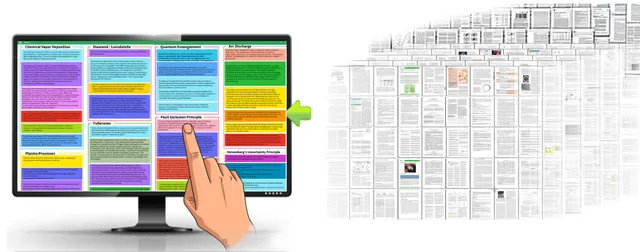 Your students enjoy Instagram® speed chapter-to-chapter and book-to-book study and review.
- Your students can make hyperlinked highlights throughout the iReserves content and instantly recall any iReserves content simply by touching the highlight. These hyperlinked highlights are called HotLinks.
- You can make Course Mind Palaces with hundreds of carefully selected HotLinks to your iReserves content and distribute the Mind Palaces to your students (e.g., by posting to your institution's learning management system, or by sending emails).
- Your students can easily make HotLinks to iReserves content and add the HotLinks to the Course Mind Palaces you created and/or to their own Personal Mind Palaces.
 Your students can easily use KIC systems to make PDFs of iReserves content they want to study outside the library, and any HotLinks are automatically linked to the KIC-made PDFs. In addition, students can keep the KIC-made PDFs forever ().
Note: the larger the number of items you put on iReserves, the larger the number of your students that can simultaneously study the iReserves materials.
You can do your part to reduce your students' textbook costs and your institution's eReserves costs:
Entire textbooks can sometimes be replaced with better content from multiple sources. By finding the best treatment of each topic and subtopic in a course and putting them all on iReserves at the library, and creating Course Mind Palaces for the excerpts, your students can study in the library using the Course Mind Palace to instantly navigate between all the different course topics and move from item to item within each topic at Instagram® speeds. When they find items they wish to study outside the library and/or keep forever (e.g., organized by their Personal Mind Palaces), they can easily digitize them using a KIC – the PDFs made by KICs seamlessly replace the iReserves version so that the same content is displayed when any HotLink in your Course Mind Palaces and their Personal Mind Palaces is selected. Note: to ensure that students are able to adhere to copyright law on self-serve digitization, it is best to keep all excerpts from any one book below 10% of the pages of the book.
If your library's reserves staff has access to a fast KIC system, adding a book excerpt or print journal article to iReserves can take just two minutes longer than simply registering the book with a traditional Reserves system.
iFence and ILL for Researchers
Substantial benefits from Print-to-Digital Journals
View your library's print articles digitally for free while in the library
- Find the most relevant iFence articles with SearchMATCH Discovery
- View iFence articles when in the library on your own PC, tablet, or phone, or on MyDocs-enabled patron-use PCs
- Move from article-to-article at Instagram® speeds
- NO PAYWALL for you or your institution ()
- Easily make ILL requests for iFence articles of interest and keep the PDFs forever
- Easily make HotLinks (hyper-linked highlights) in iFence articles
- Make Mind Palaces with iFence article HotLinks and share the Mind Palaces with research colleagues – articles they already have are automatically linked to the shared Mind Palaces, and they can easily make ILL requests for article(s) they don't have
- For Faculty – Your research students can use SearchMATCH Discovery to find the most relevant iFence articles and/or Open Access articles from a repository of 23 million Journal Articles, and make Mind Palaces, etc.
You can do your part to reduce your university's article access costs:
- Articles viewed inside iFences have no paywall fees
- ILL-requested articles have no paywall fees (once the print journal issue has been purchased)
- Full-text article review prior to making ILL requests eliminates wasted ILL requests
- Full-text article review prior to downloading reduces future subscription fee increases by eliminating wasted downloads
If your library is actively fulfilling ILL requests for PDF articles from print journals, the articles can be automatically added to an iFence for anyone to view while in the library. Most R1 and R2 universities in the US have BSCAN ILL systems from DLSG. A simple update to the BSCAN ILL software is all it takes.
Journal Publishing & Copyright Laws
Journal Publishing Became a High Profit Business in Three Easy Steps
STEP 1 – The Great Journal Publishing Consolidation – "Controlled Digital Distribution with DRM is now affordable!"
STEP 2 – The Big Bundle Deals – "Get more digital titles for what you are paying a la carte!"
STEP 3 – Full-scale Monopolies – 20 years of large price increases
Researchers can help in two ways: 1) by using alternatives more and more often until the publishers stop raising prices aggressively; and 2) by helping to increase the benefit of each dollar the library spends on publishers by better utilizing the content. If you would like to help, please read the following.
Publishing Monopolies get their power from Copyright Laws. The Copyright Lawmakers foresaw the future and created Copyright Law Limitations, but scientists and libraries seldom use these limitations laws, perhaps because the limitations laws require continued purchases of printed journals and books and because the laws were designed to avoid overuse by requiring a manual process in order to make each free digital copy. For example, the three most beneficial Digital Copyright Law Limitations today, Digital Interlibrary Lending, Digital Self-serve Copying, and Digital Public Display, each have physically limiting requirements.
- Legal Digital Interlibrary Lending requires library staff to re-digitize each article requested, no matter how many times an article is requested.
- Legal Digital Self-serve Copying limits library patrons to digitizing only a single article from a journal or a small excerpt from a book.
Note: It is also illegal for Interlibrary Lending and Self-serve Digitizing to be performed in a production manner or in any way that would eventually result in the user having a complete copy of a whole journal issue or book. - Legal Digital Public Display (e.g., iFence and iReserves) requires that the display device (e.g., a computer screen) be "at the place where the copy is located," provided no more copies are concurrently displayed than are owned by the library and inside the library.
Interlibrary Lending and Self-serve Digitizing have been referred to as "library superpowers" because the digital copies can be kept forever. Public Display can increase utilization of Interlibrary Lending and Self-serve Digitizing, if implemented with an advanced discovery system that makes it easy for library patrons to find relevant content then read it to be sure they want a digital copy. Public Display is also very transformative for libraries.
Public Display allows libraries to become truly Hybrid Digital & Print institutions. While in the library, all library print collections items that are in the library, including journals, monographs and books, can legally be viewed by anyone in the library. There are two easy ways an academic library can populate their iReserves and iFence 'digital extensions' to their print collections.
For Researchers
A library iFence can be automatically populated with digital copies of print journal articles that are made during the ILL fulfillment process. As is commonly experienced, articles that have been ILL requested are likely to be requested again. Researchers can occasionally visit the library, and using the free MyDocs app, perform a SearchMATCH with fifty pages of their personal research and some core articles from their PC, tablet or phone, instantly see and review the most relevant articles, and when desired, press a button to make an ILL request to read the article outside the library and keep forever. If your library offers digital ILL, it is very likely that it can easily be implemented – about 95% of all digital ILL is performed using systems made and provided by our organization.
For Faculty
Library iReserves can easily be populated with digital copies of reserves items – it takes as little as three minutes to digitize several chapters of a book and add it to iReserves. Your students will have instant digital access to the content that you place on reserves while they are in the library. Multiple students can simultaneously access the digitized reserves content provided there are as many physical copies of the item on reserves as there are students attempting to access it. Also, if your students encounter some content they would like to study outside the library and/or keep forever, they can push a button, adding the content to a 'KIC Scan List' in the free MyDocs app. Before they leave the library, they can scan the content at a KIC near the reserves desk.